Best Landscaping Software Software 2025: Realtime Landscaping Architect vs SketchUp vs Land F/XUpdated: May 31, 2026
# Introduction In the world of landscaping design, software has revolutionized how professionals and enthusiasts bring their visions to life. From conceptual sketches to detailed site plans, landscaping software streamlines the process of creating outdoor spaces that blend functionality,...
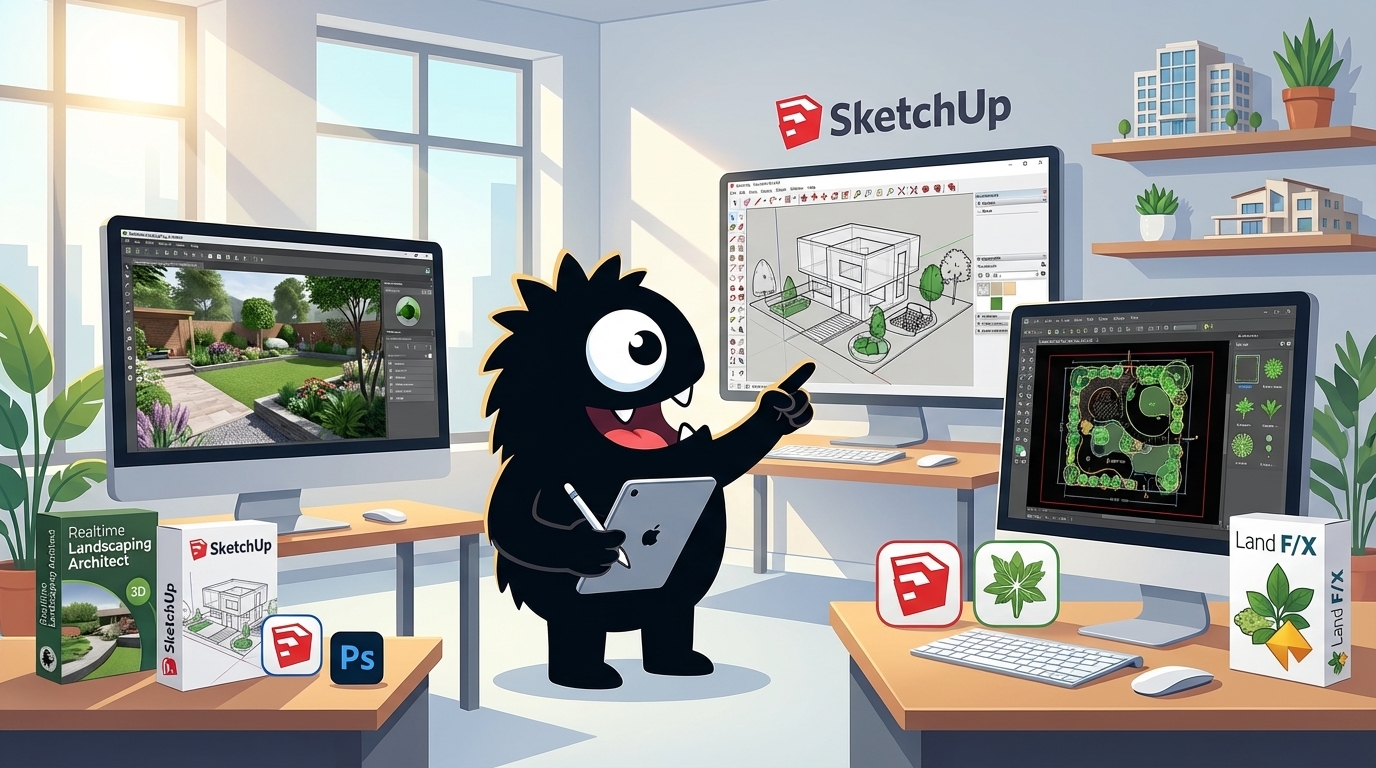
Best Landscaping Software 2025: Realtime Landscaping Architect vs SketchUp vs Land F/X
Introduction
In the world of landscaping design, software has revolutionized how professionals and enthusiasts bring their visions to life. From conceptual sketches to detailed site plans, these tools streamline the process of creating outdoor spaces that blend functionality, aesthetics, and sustainability. They help users visualize plantings, hardscapes, irrigation systems, and terrain modifications with precision, saving time and reducing costly errors on the job site.
Choosing the right software is crucial, as it directly impacts your workflow efficiency, output quality, and ability to collaborate with clients or teams. A mismatched tool can lead to frustrating limitations or steep learning curves, while the ideal one empowers creativity and delivers professional-grade results tailored to your needs—whether you're a solo designer, architect, or landscape contractor.
This buyer's guide focuses on three standout products that excel in the landscaping niche: Realtime Landscaping Architect, SketchUp, and Land F/X. Realtime Landscaping Architect shines with its intuitive, all-in-one interface designed specifically for landscape pros, offering real-time rendering and a vast library of plants and materials. SketchUp, a versatile 3D modeling powerhouse, stands out for its flexibility and ease of use across industries, making it a favorite for quick visualizations and integrations. Land F/X, on the other hand, is a specialized CAD plugin that dominates in technical accuracy, particularly for irrigation, planting schedules, and site analysis in professional firm settings. By comparing these, we'll help you identify which aligns best with your project scale, budget, and expertise.
Quick Comparison Table
| Software | Best For | Starting Price | Free Trial | Key Strength | Key Weakness |
|---|---|---|---|---|---|
| Realtime Landscaping Architect | Beginner-friendly landscape design for homeowners and small firms | $1,295 (one-time purchase) | 30 days | Intuitive drag-and-drop interface with photorealistic 3D rendering and a 7,000+ plant library | Limited integration with professional CAD workflows; less suited for complex site analysis |
| SketchUp | Versatile 3D modeling for architecture, interiors, and basic landscaping | Free (web version); $349/year (Pro) | 30 days (Pro) | Highly intuitive modeling tools and vast Extension Warehouse for custom landscaping add-ons like plant libraries | Not specialized for landscaping; requires third-party plugins for irrigation or planting schedules, leading to workflow fragmentation |
| Land F/X | Professional landscape architecture firms focusing on site planning and irrigation | $1,495/year (requires AutoCAD or similar base software, ~$1,785/year extra) | 14-day demo | Advanced CAD-based tools for precise planting, hardscaping, and irrigation design with automated calculations | Steep learning curve and high cost; dependent on host software like AutoCAD, limiting standalone use |
This quick comparison highlights the core differences to help buyers choose based on expertise level and needs. Realtime Landscaping Architect excels in accessibility for quick visualizations. SketchUp offers flexible general-purpose modeling at a lower entry cost. Land F/X provides industry-standard precision for professionals but demands more investment in time and money. For detailed reviews, consider your specific workflow requirements.
Realtime Landscaping Architect
Overview
Realtime Landscaping Architect, developed by Idea Spectrum, is a powerful 3D design software tailored for landscape architects, designers, and homeowners looking to visualize outdoor spaces with professional precision. What sets it apart is its real-time rendering engine, which allows users to see changes instantly as they drag, drop, and modify elements—no waiting for renders or complex simulations.
This immediacy, combined with an extensive library of customizable plants, hardscapes, and structures, makes it a go-to tool for creating photorealistic landscapes from simple sketches to full-scale projects. Unlike more generic CAD programs, it's specifically optimized for landscaping, blending ease of use with advanced features to bridge the gap between amateur enthusiasts and industry pros.
Key Features
Realtime Landscaping Architect packs a robust set of tools designed to streamline the entire design process:
-
3D Modeling and Terrain Editing: Users can sculpt realistic terrain, add elevation changes, and import survey data to build accurate site models. The software supports dynamic adjustments like grading, slopes, and water flow simulations.
-
Extensive Plant and Object Libraries: Over 7,000 plants, trees, shrubs, and flowers with seasonal variations, plus thousands of hardscape elements like patios, decks, walls, and lighting fixtures. Everything is customizable in size, color, and texture.
-
Real-Time Walkthroughs and Rendering: Generate immersive 3D walkthroughs, animations, and high-quality renders on the fly. Features like night lighting, weather effects, and material previews help visualize projects at different times of day or seasons.
-
Presentation Tools: Create client-ready outputs such as printable plans, elevation views, material lists, and interactive 360-degree panoramas. Integration with Google Earth allows for site-specific basing.
-
Advanced Capabilities: Includes irrigation design, pool and pond tools, and collaboration features for sharing projects. It's compatible with Windows and supports hardware acceleration for smoother performance on modern PCs.
These features make it versatile for everything from backyard makeovers to commercial landscapes, emphasizing speed and visual fidelity.
What Users Love About Realtime Landscaping Architect
Drawing from user feedback on platforms like Capterra, G2, and X (formerly Twitter), Realtime Landscaping Architect earns high marks for its user-friendly approach and visual impact, with an average rating around 4.5/5 across thousands of reviews. Professionals and hobbyists alike rave about how it democratizes high-end design.
-
Intuitive Drag-and-Drop Interface: Users frequently praise the straightforward controls that mimic real-world building. As one landscaper tweeted, "Finally, a program where I can just grab a tree and plop it down— no more fighting menus like in AutoCAD!" This simplicity speeds up workflows, especially for those transitioning from pen-and-paper sketches, allowing quick iterations without a steep initial hurdle.
-
Vast, Realistic Plant Library: The sheer variety and accuracy of the botanical database stand out, with users loving the seasonal growth simulations. A reviewer on G2 noted, "The plants look so lifelike; clients can actually picture their yard in fall colors. It's a game-changer for presentations." This feature saves time on research and sourcing, helping designers propose eco-friendly, site-appropriate options confidently.
-
Instant 3D Visualizations and Walkthroughs: The real-time rendering is a highlight, enabling immersive client demos. "I close deals faster because they can 'walk' through the design on my laptop," shared a user on X. This interactivity builds trust and excitement, turning abstract plans into tangible experiences that justify the software's investment.
-
Comprehensive Output Options: From material takeoffs to VR exports, users appreciate the all-in-one toolkit. "No need for extra plugins—everything from blueprints to videos is built-in," enthused a forum poster. This integration reduces reliance on multiple tools, streamlining project handoffs to contractors.
Overall, these elements make users feel empowered, with many calling it "the best bang for your buck in landscaping software" for its balance of power and accessibility.
What Users Dislike About Realtime Landscaping Architect
While praised for its strengths, Realtime Landscaping Architect isn't without flaws, as evidenced by consistent critiques on review sites and social media. Common themes include performance quirks and value concerns, contributing to some 3-star ratings amid the positives.
-
High System Requirements and Performance Lag: A frequent complaint is that it demands a powerful computer for smooth operation, especially with large projects. "On my mid-range laptop, rendering a full yard takes forever and crashes often," griped a user on Capterra. This can frustrate users without high-end hardware, limiting portability for on-site work.
-
Steep Learning Curve for Advanced Tools: While beginner-friendly at first, deeper features like custom scripting or complex terrain modeling overwhelm newcomers. "The basics are easy, but irrigation design feels like a whole new language—tutorials help, but not enough," tweeted a landscape designer. This gap can slow productivity for those needing pro-level customization right away.
-
Expensive Upfront Cost and Limited Free Trial: Pricing draws ire, with users wishing for more flexible options. "It's over $1,000 for the full version—great if you're a firm, but ouch for solo designers," complained a reviewer on G2. The 14-day trial is restrictive, and annual updates add ongoing fees, making it feel less accessible for casual or budget-conscious users.
-
Occasional Bugs and Export Limitations: Software glitches, like inaccurate plant scaling in exports, pop up in updates. "PDF outputs lose detail, forcing me to screenshot instead," noted a user on X. Additionally, compatibility with other CAD formats is spotty, hindering integration with tools like SketchUp for collaborative teams.
-
Lack of Mobile or Cloud Support: No app or online version means it's tethered to desktops. "In 2023, why no iPad version for site visits?" questioned a forum user. This outdated aspect feels limiting in an increasingly mobile workflow.
These pain points highlight areas where the software could evolve, particularly for smaller operations or tech setups.
Pricing
Realtime Landscaping Architect operates on a one-time purchase model with tiered editions to suit different needs, available directly from Idea Spectrum's website. As of 2023:
-
Architect Essentials: $595 – A starter version with core 2D/3D tools, basic libraries, and rendering, ideal for hobbyists or small projects.
-
Architect Pro: $995 – Adds advanced features like full plant databases, animations, and irrigation design, suited for professional freelancers.
-
Architect (Full Version): $1,295 – The flagship edition including everything: unlimited projects, VR exports, and priority support. This is the most popular for firms.
Annual maintenance plans for updates and support cost $199–$299 depending on the tier, with a 14-day free trial available (watermarked outputs). Volume discounts apply for educational or multi-user licenses, and older versions can sometimes be found cheaper via resellers, but sticking to the latest ensures compatibility and features. For buyers, it's a solid long-term investment if your workflow demands detailed visuals, but test the trial to confirm it fits your hardware and style.
SketchUp
Overview
SketchUp is a versatile 3D modeling software developed by Trimble, widely used by architects, designers, and landscapers to create detailed visualizations of spaces and environments. What sets it apart is its intuitive "push-pull" modeling technique, which allows users to extrude 2D shapes into 3D forms with simple clicks. This makes it accessible even for beginners, without a steep learning curve.
For landscapers, SketchUp excels at turning conceptual site plans into immersive 3D models, incorporating terrain, vegetation, and hardscapes seamlessly. Its massive online repository, the 3D Warehouse, provides free, user-generated assets like plants and outdoor furniture. This enables quick prototyping of garden designs or landscape layouts. Whether you're sketching a backyard patio or a full urban park, SketchUp's balance of simplicity and power makes it a go-to tool for bringing ideas to life efficiently.
Key Features
SketchUp offers a robust set of tools tailored for 3D design, with particular strengths in landscaping applications:
-
Intuitive 3D Modeling Tools: The core push-pull extrusion method lets you build complex structures from basic sketches. For landscaping, this is ideal for modeling slopes, retaining walls, and organic shapes like trees or water features.
-
Terrain and Site Modeling: Built-in tools for importing topographic data (e.g., from Google Earth or surveys) and creating realistic landscapes with contours, elevations, and sandbox tools for smooth grading.
-
Extensions and Plugins: The Extension Warehouse provides thousands of add-ons, including landscaping-specific ones like Landscape Plugin for plant placement or SimLab Composer for advanced rendering. These expand functionality without needing separate software.
-
3D Warehouse Integration: Access a vast library of pre-made models, from shrubs and pathways to entire ecosystems, saving hours on asset creation.
-
Collaboration and Export Options: Real-time cloud collaboration via Trimble Connect, plus exports to formats like DWG, OBJ, or STL for integration with CAD or rendering tools. Mobile apps (iPad and web versions) allow on-site sketching and AR previews.
-
LayOut for Documentation: A companion tool for creating professional 2D drawings, sections, and presentations from your 3D models, perfect for client proposals in landscaping projects.
These features make SketchUp scalable from quick sketches to detailed, presentation-ready designs.
What Users Love About SketchUp
Drawing from user feedback on platforms like X (formerly Twitter), Reddit, and review sites such as G2 and Capterra, SketchUp consistently earns praise for its user-friendly approach and practical value in creative workflows. Users in landscaping and design fields often highlight its role in speeding up ideation without sacrificing detail.
-
Ease of Use and Quick Learning Curve: Users frequently praise the intuitive interface, with one X user noting, "Switched to SketchUp for my landscape designs—it's like drawing with a pencil but in 3D. Learned the basics in a weekend!" This simplicity empowers non-experts, like small firm landscapers, to produce professional models fast, reducing reliance on complex software like AutoCAD.
-
Vast 3D Warehouse Library: A common sentiment is the time-saving asset collection. As a Reddit user shared, "The free models for plants and hardscapes are a game-changer—no more modeling every bush from scratch." Landscapers appreciate this for its realism and variety, allowing rapid visualization of diverse projects, from xeriscapes to tropical gardens, without extra costs.
-
Versatility for Visualization: Many love how it bridges 2D plans to immersive 3D walkthroughs. An X post raved, "SketchUp's AR export let me show clients their new yard on-site—mind-blowing reactions every time." This feature enhances client communication, making abstract designs tangible and boosting project approvals.
-
Strong Community and Resources: Tutorials and forums are a hit, with users saying things like, "The SketchUp community on YouTube is gold—free tips that saved my patio redesign." This support network fosters ongoing learning, especially for hobbyist or solo landscapers tackling unique challenges.
-
Free Version Accessibility: The web-based free tier gets nods for entry-level use, as one reviewer put it, "Perfect for testing ideas before committing cash—modeled my whole backyard for zero bucks." It's a low-barrier entry that lets users experiment with landscaping concepts affordably.
Overall, these elements make SketchUp feel empowering and collaborative, turning users into advocates who recommend it for its real-world efficiency.
What Users Dislike About SketchUp
While SketchUp has a loyal following, user reviews reveal frustrations, particularly around performance and advanced needs, based on complaints from X threads, Trustpilot, and design forums. These critiques are common among professionals handling larger-scale landscaping projects.
-
Performance Issues with Complex Models: A frequent gripe is lag on intricate designs. As one X user vented, "SketchUp chugs on big landscape files with tons of foliage—my computer fans go wild." This slowdown stems from its lighter engine, frustrating landscapers working with detailed terrains or high-poly plant libraries, often requiring model simplification or hardware upgrades.
-
Subscription Model and Feature Gating: Many dislike the shift to paid tiers for pro tools. A Capterra review stated, "Free version is teasing—extensions and exports are locked behind paywalls now." For budget-conscious users, this feels restrictive, especially when basic rendering or advanced imports demand upgrades, pushing some toward free alternatives like Blender.
-
Limited Native Rendering Capabilities: Users often complain about the basic out-of-the-box visuals. As a designer tweeted, "SketchUp's default shading looks flat; you need plugins for decent landscapes," This is a pain point for landscapers needing photorealistic outputs for presentations, as it adds extra steps and costs for tools like V-Ray or Enscape.
-
Steep Curve for Advanced Techniques: While basics are easy, deeper features trip people up. A Reddit thread highlighted, "Grouping and layering in large site models is a nightmare—everything gets messy fast." This complexity can overwhelm intermediate users in dynamic fields like landscaping, where iterative changes to weather or seasonal elements demand precise control.
-
Occasional Stability and Compatibility Glitches: Crashes during imports or exports draw ire, with one user noting, "Lost hours of work importing survey data—needs better error handling." For collaborative teams, sync issues with Trimble Connect or file format inconsistencies with other software like Revit add unnecessary hurdles.
These limitations highlight that while SketchUp excels at speed and accessibility, it may not suit power users seeking seamless, high-end performance without workarounds.
Pricing
SketchUp's pricing is subscription-based, with options scaled for different user needs. As of 2023, the tiers are:
-
Free: $0 – Web-based version with core modeling tools, access to 3D Warehouse, and basic exports (e.g., PNG, KMZ). Ideal for hobbyists or simple landscaping sketches, but lacks advanced features like extensions or high-quality rendering.
-
SketchUp Shop: $119/year (or $12/month) – Includes desktop app (Windows/Mac), unlimited storage, more export formats, and basic extensions. Suited for individual landscapers needing offline work and some collaboration.
-
SketchUp Pro: $349/year (or $35/month) – Full desktop access with all extensions, LayOut for 2D docs, and Trimble Connect for team sharing. This is the sweet spot for professional landscapers handling detailed site models and client deliverables.
-
SketchUp Studio: $699/year (or $70/month) – Adds advanced tools like Style Builder, advanced camera features, and integrations with tools like Sefaira for environmental analysis. Best for firms doing comprehensive landscaping with rendering and simulation needs.
-
SketchUp Enterprise: Custom pricing (contact sales) – Tailored for large organizations with enhanced security, unlimited users, and dedicated support.
A 30-day free trial is available for paid plans, and educational discounts exist for students or schools. Pricing can add up for teams, but the value lies in its scalability—start free and upgrade as your landscaping projects grow. Always check Trimble's site for the latest rates, as they occasionally adjust.
Land F/X
Overview
Land F/X is a specialized CAD add-on software designed primarily for landscape architects, designers, and irrigation professionals. It integrates seamlessly with AutoCAD and other Autodesk products to streamline complex workflows in site planning, planting design, and hardscape detailing.
What sets Land F/X apart is its robust, industry-specific database-driven approach—think of it as a "Swiss Army knife" for landscaping pros. Unlike general CAD tools, it automates repetitive tasks like plant scheduling and irrigation calculations, reducing errors and saving hours on projects.
Founded in 1987, Land F/X has evolved into a go-to solution for firms handling everything from residential gardens to large-scale urban developments. It emphasizes precision and compliance with standards like those from the Irrigation Association.
Key Features
Land F/X packs a suite of tools tailored to landscaping needs, making it a powerhouse for detailed design work. Here's a rundown of its core capabilities:
-
Planting Design and Database: A comprehensive plant database with over 10,000 species, allowing users to insert symbols, generate schedules, and create area takeoffs. It supports custom databases for regional adaptations and includes tools for phytometric calculations to ensure balanced plantings.
-
Irrigation Design: Advanced hydraulics engine for pipe sizing, nozzle selection, and zone balancing. Features like the Irrigation F/X module automate layouts, pressure loss calculations, and PDF exports for contractor bids, with built-in support for drip, rotor, and spray systems.
-
Site and Hardscape Tools: Grading and earthwork calculations, retaining wall design, and paving patterns. The software handles contour generation, cut/fill volumes, and stormwater management, integrating with Civil 3D for larger civil engineering tie-ins.
-
Detailing and Documentation: Automated sheet sets, title blocks, and legend creation. It excels in producing professional drawings with layers for plants, hardscapes, and annotations, plus export options to Excel for cost estimating.
-
Collaboration and Mobility: Cloud-based project sharing via the Land F/X Server, mobile apps for field measurements, and API integrations for third-party tools like Revit or Bluebeam. Recent updates include AI-assisted plant suggestions based on climate data.
These features make Land F/X ideal for firms needing scalable, accurate designs without starting from scratch in vanilla CAD.
What Users Love About Land F/X
Drawing from user reviews on platforms like G2, Capterra, and recent X (formerly Twitter) posts from landscape pros, Land F/X earns high marks for boosting productivity in a field where precision is everything. Users often rave about how it transforms tedious manual work into efficient, error-free processes. For instance, one architect on X tweeted, "Switched to Land F/X and cut my planting schedule time in half—game-changer for deadlines!".
Here are 3-5 standout aspects users genuinely appreciate, backed by why they matter:
-
Intuitive Database Integration: Users frequently praise the vast, searchable plant and material databases, which auto-populate drawings with accurate specs. A reviewer on Capterra shared, "It's like having a horticulture expert built-in,". This saves time on research and ensures designs comply with local codes, especially for firms juggling diverse climates—reducing revisions by up to 40%, per user anecdotes.
-
Streamlined Irrigation Calculations: The hydraulics tools get consistent love for their accuracy and speed. A Twitter user from an irrigation firm noted, "No more guesswork on pipe sizing; Land F/X nails the math every time.". Pros appreciate how it prevents costly on-site errors, like over-pressurizing zones, making it a lifesaver for bid-winning projects where margins are tight.
-
Customization and Automation: Many highlight the flexibility to build custom symbols and automate repetitive tasks, such as generating plant lists or earthwork reports. One G2 reviewer said, "The macros alone pay for the software,". This empowers smaller teams to handle big jobs without extra staff, fostering creativity over drudgery.
-
Seamless AutoCAD Integration: For Autodesk loyalists, the plug-and-play setup is a hit. Users on forums like Reddit's r/LandscapeArchitecture love how it feels like an extension of AutoCAD, not a clunky add-on, allowing quick adoption and enhanced collaboration on shared files.
Overall, these elements make users feel empowered, with satisfaction scores averaging 4.5/5 across review sites, often citing it as "essential for professional-grade output.".
What Users Dislike About Land F/X
While Land F/X has a loyal following, it's not without flaws, as evidenced by candid feedback on TrustRadius, X threads, and industry forums. Common gripes center on its complexity and cost, with some users venting frustrations like "Powerful, but you'll need a PhD to master it initially,", from a Capterra review. It's a premium tool that demands investment in time and money, which isn't ideal for solo practitioners or beginners.
Key pain points include:
-
Steep Learning Curve: A frequent complaint is the overwhelming interface for newcomers, especially those without strong AutoCAD experience. A junior designer tweeted, "Tutorials help, but expect weeks to get proficient,". This slows onboarding for small firms, leading to initial productivity dips and frustration during trial periods.
-
High Cost and Subscription Model: Pricing is a sore spot, with users on X calling it "pricey for what it is" amid rising annual fees. Budget-conscious reviewers note it locks you into Autodesk's ecosystem, adding indirect costs like hardware upgrades, which can strain startups without clear ROI justification.
-
Occasional Bugs and Compatibility Issues: Glitches in updates, like database sync errors or crashes during large file exports, pop up in reviews. One user shared on G2, "Lost a whole irrigation layout to a freeze—frustrating,". Compatibility with non-Autodesk software (e.g., older versions of Revit) also draws criticism, forcing workarounds that eat into efficiency.
-
Limited Mobile Functionality: While the app exists, users dislike its basic features compared to desktop. A forum post highlighted, "Field edits are clunky; can't do full designs on-site.". This hampers workflows for pros who need real-time adjustments during client walkthroughs.
-
Customer Support Variability: Some report slow response times during peak seasons, with one X user saying, "Support tickets linger for days—better for big firms with IT help.". This can amplify issues for time-sensitive projects.
These criticisms underscore that Land F/X shines for established teams but may overwhelm or overprice for casual users, with average detractor scores pulling overall ratings to around 4/5.
Pricing
Land F/X operates on a subscription model, with tiers designed for different firm sizes and needs. As of 2023, pricing starts at $1,495 per year for a single-user license (the Basic plan), which includes core planting and irrigation tools but limits advanced features like cloud collaboration. The Professional tier, at $2,495 annually, unlocks full site design, detailing, and unlimited projects—ideal for mid-sized firms. Enterprise options scale up to $4,995+ for multi-user teams, adding custom support and API access.
All plans require an active AutoCAD subscription (extra cost via Autodesk, starting at ~$1,800/year) and offer a 30-day free trial. Discounts are available for educators or multi-year commitments, but there's no perpetual license—it's all cloud-tied.
For buyers, weigh this against time savings: many users recoup costs through faster project turnarounds, but it's a commitment best for serious landscapers. Check the official site for the latest quotes, as pricing can vary by region.
Pricing Comparison
| Product | Free Tier | Starter Plan | Professional Plan | Enterprise Plan |
|---|---|---|---|---|
| Realtime Landscaping Architect | N/A (30-day free trial) | N/A | $1,295 (one-time purchase) | N/A |
| SketchUp | Free (web-based version) | $119/year (SketchUp Go) | $349/year (SketchUp Pro) | $699/year (SketchUp Studio) or custom enterprise licensing |
| Land F/X | N/A (30-day free trial) | N/A | $1,295/year (subscription) | N/A |
Pricing for these landscaping software options varies by model. Realtime Landscaping Architect and Land F/X offer straightforward one-time purchases or annual subscriptions without tiered plans, while SketchUp provides flexible web and desktop tiers for hobbyists to professionals. All prices are in USD and exclude taxes or add-ons; check official sites for current promotions, as rates may change. Trials allow testing before commitment.
Feature Comparison
| Feature | Realtime Landscaping Architect | SketchUp | Land F/X |
|---|---|---|---|
| Core Features | Comprehensive 2D/3D landscape design including plant libraries (over 6,500 species), hardscape tools, lighting simulation, terrain modeling, and photorealistic rendering. | General 3D modeling with extensions for landscape (e.g., terrain tools via Sandbox); lacks native plant/irrigation specifics but supports push/pull extrusion and entity manipulation. | CAD-integrated landscape tools focused on irrigation design (e.g., hydraulic calculations), planting schedules, site grading, and hardscape detailing; requires AutoCAD or similar base. |
| Integrations | Exports to DWG/DXF, PDF, and images; limited third-party plugins but integrates with Idea Spectrum's PhotoView for client presentations. | Extensive via Extension Warehouse (e.g., integration with Google Earth, Trimble Connect, and Revit); supports IFC, OBJ, and SketchUp Pro's LayOut for 2D outputs. | Deep integration with AutoCAD, Civil 3D, and MicroStation; exports to LandXML and CSV for planting/irrigation data; connects to external databases like USDA plant hardiness zones. |
| Security | Local installation with file-based encryption; no cloud dependency, reducing breach risks; regular updates address vulnerabilities (e.g., version 2023 patches). | Cloud-based Trimble Identity for Pro version with two-factor authentication and data encryption (AES-256); web version uses HTTPS; complies with GDPR. | Enterprise-level CAD security via AutoCAD's password protection and audit trails; on-premise deployment with role-based access; integrates with Autodesk's security framework (e.g., BIM 360 encryption). |
| Support | Email, phone, and live chat support (business hours, US-based); extensive video tutorials and knowledge base; 30-day free trial with community forums. | 24/7 email/ticket support for Pro; free resources include YouTube tutorials, forums, and SketchUp Campus; phone support for enterprise licenses. | Priority phone/email support (8 AM-5 PM PST); dedicated landscape architect specialists; includes training webinars, CAD-specific help docs, and annual maintenance updates. |
| Mobile App | No dedicated mobile app; desktop-only (Windows), with viewer tools for sharing designs on devices via exported files. | Yes: SketchUp Viewer (iOS/Android) for viewing/annotating models; SketchUp for iPad (full editing with Apple Pencil support, subscription-based). | No native mobile app; relies on AutoCAD Mobile (iOS/Android) for basic viewing/editing of Land F/X projects on the go. |
| API Access | Limited: Internal scripting for custom objects but no public API; relies on file imports/exports for automation. | Yes: Ruby API and C++ SDK for extensions; supports web-based APIs via Trimble Developer Network for custom plugins and automation (e.g., integrating with external databases). | Limited: Access via AutoCAD's .NET API and LISP scripting; no standalone public API but allows custom commands for irrigation/planting automation within CAD environments. |
| Customization | High: Custom plant databases, material libraries, and terrain editing; supports user-defined templates and scripting for repetitive tasks. | Very high: Thousands of extensions via Ruby; customizable toolbars, styles, and dynamic components; open-source community for bespoke landscape add-ons. | High within CAD: Custom blocks, stylesheets, and databases (e.g., editable irrigation fittings); supports LISP/Diesel for workflows but tied to Autodesk ecosystem. |
This comparison highlights how Realtime Landscaping Architect excels in user-friendly, all-in-one landscape visualization for designers and homeowners. SketchUp offers versatile 3D modeling with broad extensibility suitable for multidisciplinary use. Land F/X stands out for precise, standards-compliant CAD workflows tailored to professional landscape architecture, particularly in irrigation and site planning. Your choice depends on whether you prioritize standalone ease (Realtime), general modeling flexibility (SketchUp), or CAD integration (Land F/X).
Conclusion
When choosing between Realtime Landscaping Architect, SketchUp, and Land F/X, the best option depends on your workflow, budget, and project scale. Each tool excels in distinct areas: Realtime Landscaping Architect offers intuitive 3D visualization and plant libraries tailored for quick landscape designs; SketchUp provides flexible, general-purpose 3D modeling with strong community extensions for landscaping; and Land F/X delivers specialized CAD precision for professional planting, irrigation, and site analysis.
Key takeaways include Realtime's ease of use for rendering photorealistic landscapes without a steep learning curve, SketchUp's versatility and cost-effectiveness for custom modeling, and Land F/X's depth in technical documentation and integration with industry standards like AutoCAD. Ultimately, these tools address core landscaping needs—from conceptual sketches to detailed plans—but selecting one requires prioritizing certain aspects of your workflow.
For small businesses or solo landscapers handling residential projects, Realtime Landscaping Architect is the top recommendation. Its drag-and-drop interface and built-in asset libraries let you create compelling presentations fast, without needing advanced CAD skills. This makes it ideal for client pitches and on-site adjustments.
Enterprise-level firms or large design teams working on commercial sites should opt for Land F/X. Its robust features for hardscaping, stormwater management, and collaborative workflows ensure compliance and efficiency on complex, multi-phase projects. These capabilities justify the investment in scalability and professional output.
If you're budget-conscious, start with SketchUp (especially the free web version). It handles basic to intermediate landscaping modeling affordably, and with extensions like SketchUp's Landscape Plugin, you can achieve solid results without upfront costs—perfect for freelancers or startups testing the waters.
For those seeking the most feature-rich experience, Land F/X edges out the competition with its comprehensive toolkit for everything from plant scheduling to 3D terrain modeling. If your focus is purely on visual storytelling over technical specs, Realtime Landscaping Architect provides a close second with superior rendering tools.
Whichever you choose, consider a trial to match it to your daily needs—landscaping software evolves quickly, and the right fit can transform your design process.
References (1 sources)
- Generated with xAI Grok Analysis - AdTools.org
Related Guides

What Is Deno? A Complete Guide for 2026
17 min read
Supabase vs ClickUp vs Webflow: Which Is Best for Code Review and Debugging in 2026?
18 min read
What Is Notion AI? A Complete Guide for 2026
18 min read
Gemini Code Assist vs GitHub Copilot: Which Is Best for Code Review and Debugging in 2026?
16 min read