Amazon Q Developer vs Replit vs Claude Code: Which Is Best for Code Review and Debugging in 2026?
Amazon Q Developer vs Replit vs Claude Code for code review and debugging—compare workflows, pricing, tradeoffs, and best fits. Learn
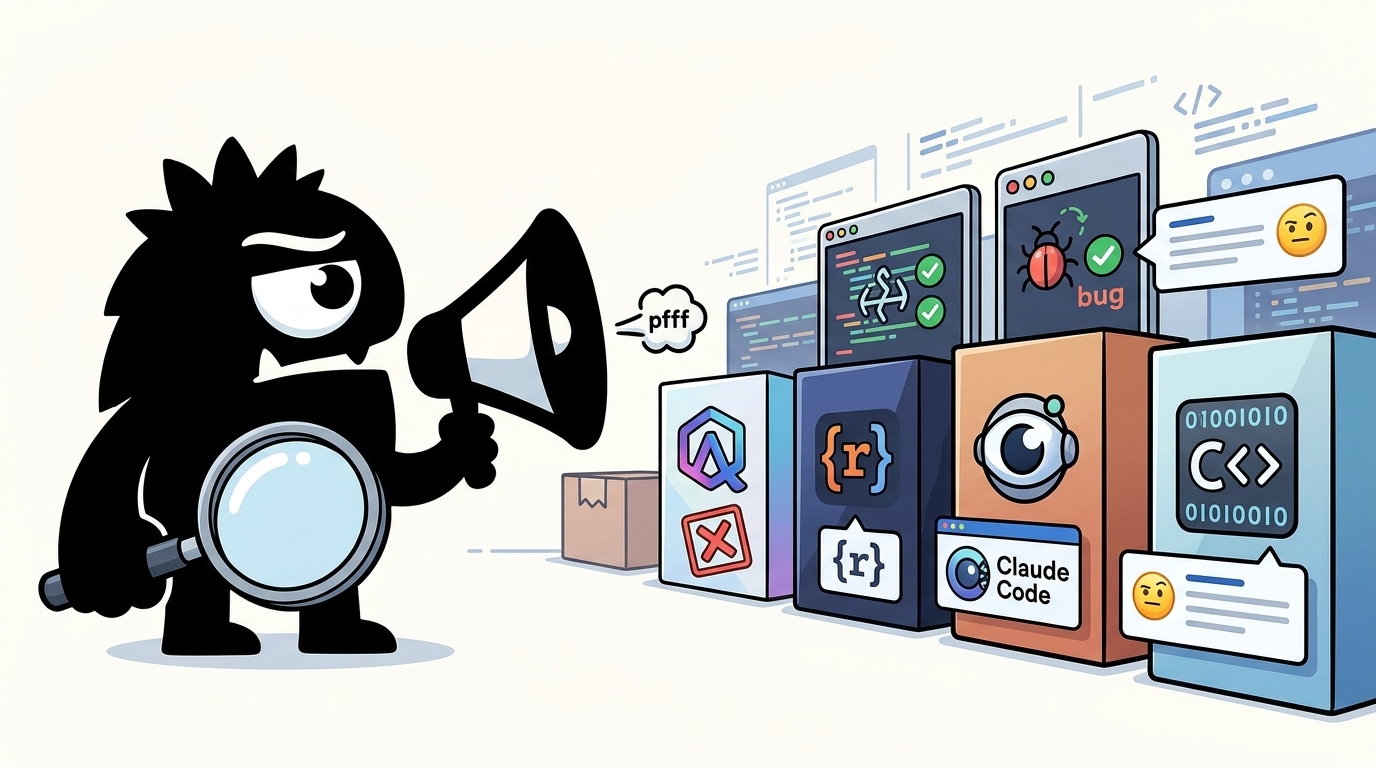
Why This Comparison Matters Now
The 2026 AI-coding conversation is noisy in exactly the wrong way. X is packed with top-10 lists, “Cursor alternatives,” and broad rankings of coding assistants. That’s useful if you’re just surveying the market. It’s not useful if your actual question is narrower and more consequential: Which tool helps me catch bugs before merge, understand failures faster, and fix issues without introducing new ones?
💻 List of AI Coding Tools Available for Developers & Organizations in 2026
✅ Microsoft – GitHub Copilot
✅ Anthropic – Claude Code
✅ OpenAI – ChatGPT / Codex
✅ Google – Gemini Code Assist
✅ Cursor – Cursor AI
✅ Amazon – Amazon Q Developer
✅ Cognition AI – Devin AI
✅ JetBrains – Junie AI
✅ Sourcegraph – Cody AI
✅ Tabnine – Tabnine AI
🤔 Which tool is your primary coding assistant today, and which one do you think offers the best value for developers and enterprises?
#AI #Coding #DeveloperTools #SoftwareEngineering #Programming #TechDiscussion
That distinction matters because Amazon Q Developer, Replit, and Claude Code are not interchangeable. All three can help write code. But for code review and debugging, they sit in different parts of the workflow:
- Claude Code is the strongest candidate when you want a deep second pass on diffs, architecture choices, and bug risk.
- Amazon Q Developer is strongest when you want review and remediation embedded in IDE and GitHub workflows.
- Replit is strongest when you want to build, run, test, and iterate in one loop, especially as a solo builder or fast-moving small team.
Amazon Q Developer has explicit support for reviewing code in the IDE and GitHub pull requests, and for addressing flagged issues directly from the editor.[1][3][5] Replit positions its AI around turning natural language into working apps inside a live environment.[7][8] Claude Code, meanwhile, has become a go-to for structured code review workflows, including dedicated review commands and best-practice guidance for constraining how it changes code.[13][15]
🚀 Top AI Coding Tools in 2026
🧠 Claude Code
⚡ Cursor
🔥 Codex
🐙 GitHub Copilot
🌊 Windsurf
☁️ Amazon Q Developer
🚀 Replit AI
#AI #Coding #Developers #ClaudeCode #CursorAI #GitHubCopilot #TheAIWoods
https://theaiwoods.com/best-ai-coding-tools/
The practical takeaway: stop asking which tool is “best overall.” The real decision is which one best fits the review depth, debugging style, cost profile, and risk posture you need.
Several strong alternatives to GitHub Copilot are leading in 2026:
- **Cursor**: Tops many dev workflows for multi-file refactors and agentic tasks.
- **Claude Code (Anthropic)**: Leads SWE-bench benchmarks at ~80% for complex debugging/reasoning.
- **Amazon Q Developer** or **Gemini Code Assist**: Great for enterprise/scale with generous free tiers.
- **https://t.co/Myf7F4aGnK** or **Aider**: Open-source, bring-your-own-key options for full control and zero markup.
Depends on your IDE/stack—most offer free trials. Test a couple against your use cases.
What Developers Actually Mean by Code Review and Debugging
A lot of the confusion comes from collapsing very different jobs into one label: AI coding assistant. In practice, developers mean at least four different things by “code review”:
- Inline review while writing code — catching mistakes in the editor before they spread.
- Diff or PR review — evaluating the exact changes about to be merged.
- Whole-codebase review — scanning across files for design flaws, security gaps, or hidden breakage.
- Independent audit — using a second tool to challenge changes made by another agent or developer.
Amazon Q explicitly supports review at multiple layers, including local code, files, and GitHub PRs.[2][3] Claude Code documentation is more centered on deliberate review as a distinct workflow.[13] Replit’s AI sits closer to the build/iterate loop, where explanation, code repair, and fast iteration matter most.[8][9]
Most of the AI-coding conversation is happening one layer too high. Prompts, agents, loops, Claude Code vs Cursor vs Replit — that part is basically solved. After standing up ten or so small services on my own VPS this way, "can the AI write the app?" mostly answers itself: yes.
View on X →Debugging also spans multiple tasks:
- Explaining an error message
- Tracing root cause across files or services
- Proposing a repair
- Verifying whether the repair actually fixes the issue
- Avoiding collateral damage elsewhere in the codebase
That last point is why developers increasingly care less about whether a model can produce code and more about whether it can reason about impact. A bug fix that quietly breaks adjacent behavior is worse than no fix.
entire codebases. Claude reviews them, finds the bugs, and explains exactly why they break.
View on X →And this is also why Claude Code keeps surfacing in technical discussion: practitioners are not just reacting to model branding. They’re reacting to the fact that its workflow appears engineered for code understanding, review depth, and tool use, not just autocomplete. That nuance is easy to miss if you only compare benchmark scores or pricing pages.
I decompiled Claude Code from just the minified code. Took me 8-10 hours, multiple subagents, and every flagship model from every provider.
Holy shit there's a lot in there. Claude Code is NOT just Claude in a loop - there's so much to learn from.
https://southbridge-research.notion.site/Claude-Code-An-analysis-2055fec70db1802d85e5e78d7ddeecfd
Claude Code: Best for Deep Reviews, Diff Analysis, and Reasoning-Heavy Debugging
If your primary job is to interrogate code rather than just generate it, Claude Code currently has the strongest practitioner momentum in this comparison.
The reason is straightforward: Claude Code is especially good at being a deliberate reviewer. Anthropic’s docs formalize code review as a first-class workflow rather than an incidental side effect of chatting with a model.[13][14] In practice, that means developers are using it after implementation, after large refactors, and increasingly after another agent has already written the code.
Stop opening PRs without running this first.
/code-review
Claude scans your diff for bugs, inefficiencies, and unnecessary complexity. You pick the depth: low for a quick pass, ultra for a deep multi-agent analysis.
The wild part — it finds new issues even in code it wrote itself.
@AnthropicAI @claudeai @bcherny @trq212
#ClaudeCode #AI
That post captures the dominant sentiment well. Claude Code is not being praised mainly for boilerplate generation. It’s being praised for what happens after the code exists:
- spotting bugs in a diff
- identifying unnecessary complexity
- questioning inefficient patterns
- catching issues in code the AI itself previously authored
That last point matters more than it sounds. A reviewer that can challenge its own outputs is much more valuable than an assistant that simply defends what it wrote.
Claude Code is also particularly effective on messy context: large diffs, multi-file interactions, inconsistent project conventions, and ambiguous failures. That’s where shallow assistants start to fall apart. They may explain a stack trace competently, but they miss systemic problems: unsafe assumptions, duplicated logic, hidden coupling, or a fix that only works in the happy path.
Made some major upgrades to Explorio (its a mobile app thst provides audio tours that listen back). Once my Replit agent merged them I asked Claude code to do a comprehensive code review on the code base.
Overall, Claude code was very complimentary of the work done in Replit, but did flag "several production-blocking security issues" In fairness, I didnt ask Replit for a comprehensive review first, which might have caught the same issues
issues
My lesson is that its worth having different coding agents cross-check the work
#buildinpublic
This layered-review pattern is becoming common: generate or merge changes in one environment, then use Claude Code as the adversarial second pass. It’s not accidental. It reflects where trust has settled in practice.
For debugging, Claude Code’s edge is less “it knows every API better” and more “it reasons better through uncertainty.” When a failure spans multiple files, unclear ownership, or partial diagnostics, that matters. A strong debugger needs to do more than suggest syntax changes. It needs to build a plausible causal model of what broke and why.
That said, Claude Code is not magically safe. It often performs best when the team gives it strong constraints. Anthropic’s own best-practice guidance emphasizes clarity, scoped changes, and explicit success criteria.[15] That’s exactly why community guidance around CLAUDE.md and workflow rules has resonated: people learned the hard way that even a strong reviewer can still over-edit, assume too much, or wander beyond the task if you don’t constrain it.
KARPATHY JUST HANDED EVERY DEVELOPER THE EXACT FILE CLAUDE CODE NEEDED FROM DAY ONE.
65 lines. 110K stars. the cheat code for every broken workflow you've been blaming on the model.
if I had this a year ago, I would've shipped twice as fast.
make sure to bookmark it before it gets lost in your feed.
I was losing 2 hours a day to Claude rewriting code I didn't ask it to touch.
then I found CLAUDE. md.
90 seconds to set up. changed everything.
Karpathy identified 4 failure patterns Claude Code repeats constantly, in his own words:
→ silent assumptions: Claude makes decisions without checking with you
→ code bloat: 1000 lines written when 100 would do
→ collateral damage: Claude edits code unrelated to the task
→ no success criteria: Claude loops with no finish line
these aren't model failures. they're missing instructions.
CLAUDE. md gives Claude the 4 rules it needed from day one:
→ think before coding, state assumptions. ask before assuming.
→ simplicity first, minimum code. nothing speculative.
→ surgical changes, touch only what is required. nothing adjacent.
→ goal-driven execution, define success before starting. loop until verified.
65 lines. no build step. no framework. no dependencies.
just the 4 principles every developer already knew, but needed Karpathy to write down.
ClaudeKit is the only team you need to build something like this (https://t.co/aW94IVKzGN)
the guide on how to learn Claude below (every resource you need)
The main tradeoffs are clear:
- Cost: it is often perceived as the premium option in this lane.
- Workflow position: many teams use Claude Code alongside build tools, not as the single environment for everything.
- Operational discipline required: to get the best results, you need good prompts, clear scope, and review hygiene.
But if your question is narrowly about review depth and reasoning-heavy debugging, Claude Code is the one to beat.[13][15]
Amazon Q Developer: Best for Structured Reviews, IDE Guidance, and Enterprise-Friendly Workflows
Amazon Q Developer is the most underrated tool in this comparison because it is judged too often as a generic “Copilot alternative” rather than on the strength of its actual review workflow.
Top 10 alternatives to cursor:
Claude Code
GitHub Copilot
Windsurf
Aider
Cline
OpenAI Codex
Gemini Code Assist
Amazon Q Developer
JetBrains AI Assistant
Sourcegraph Cody
Its advantage starts with integration. Amazon Q can review code as you write, review selected files or projects, and participate in GitHub-based workflows.[1][2][3] That means it is not just a chatbot you consult after the fact. It can be part of the normal path from edit to PR to remediation.
For teams, that matters. Review tools only create value if they show up where engineers already work. A brilliant model that lives outside the team’s IDE or code-hosting flow often gets skipped when deadlines tighten. Amazon Q’s design is more operationally realistic: it tries to meet developers inside existing environments rather than requiring a whole new coding ritual.
Its GitHub review support is especially important. Amazon documents the ability to review pull requests in GitHub, which makes Q relevant not just for individual debugging but for collaborative review and governance.[3] If your team wants AI assistance inside the PR process, Amazon Q has a concrete story there.
For debugging, Amazon Q’s value is in structured remediation. In JetBrains and VS Code, it can explain issues, suggest fixes, refactor, and optimize code from within the IDE.[5] That may sound less glamorous than multi-agent deep review, but in day-to-day engineering it is extremely useful. A lot of debugging work is not grand root-cause analysis; it is incremental cleanup:
- explain this warning
- fix this issue
- optimize this function
- refactor this repeated logic
- help me understand why this pattern is risky
Amazon Q is strong in exactly those workflows.
AIコーディングツール、結局どれがいい?
料金で比べると:
・完全無料: Continue / Cline
・個人無料: Amazon Q Developer
・無料枠あり: Cursor / Windsurf / Tabnine
・有料のみ: Claude Code($20)
用途別の選び方はこちら👇
The pricing conversation on X is not trivial here. Amazon Q keeps showing up as the value pick because the entry point is accessible and because enterprises already in AWS ecosystems see a natural fit. The result is that Q is often tested by developers who might not immediately pay for a premium specialist reviewer.
That does not mean Amazon Q beats Claude Code on raw review depth. In this comparison, I would still give Claude the edge on nuanced diff analysis and reasoning-heavy bug hunts. But Amazon Q wins in a different and very practical category: the percentage of real teams that can adopt it cleanly inside existing workflows.
Amazon Q Developer ProサブスクリプションでのClaude Opus 4.6利用が今日で終了ですね。
今まで月額19ドルで便利に使わせてくれてありがとうございました!
…まぁサ終までSonnet 4.6で使い続けるつもりではあるのですが。
Kiro CLIがClaude Codeとそんなに遜色なく使える上に安いからね。
That enterprise-friendliness is not just about procurement. It is about workflow shape:
- IDE-native issue handling
- PR review inside GitHub
- code review across local and hosted contexts
- predictable team adoption path
Amazon’s own prescriptive guidance also frames Q as part of broader developer workflows rather than a one-shot assistant.[6] For technical leaders, that matters more than benchmark theater. A tool that is slightly less brilliant but actually used on every PR may create more quality than a brilliant tool only one engineer remembers to invoke.
If you want structured reviews, incremental debugging help, and governance-friendly integration, Amazon Q Developer is arguably the most pragmatic choice in the group.[1][3][5]
Replit: Best for Fast Build-and-Debug Loops, but Not Always the Final Reviewer
Replit is different from the other two because it is not just an assistant layered onto coding. It is a full app-building environment where generation, execution, testing, iteration, and often deployment happen in one place.[7][8]
That gives it a real advantage for debugging: speed. When the assistant can change code, run it, inspect outputs, and iterate without context switching, the fix loop gets shorter. For solo builders, prototypes, internal tools, and early product experiments, that is powerful.
6/ Step 3: Install Claude Code in Replit's shell. This is your engineer. It reads your entire codebase, connects APIs, sets up databases, handles auth. You describe what you need, it builds it.
View on X →Replit’s own positioning is explicit about natural-language app creation, while its educational and product materials emphasize interactive AI assistance and project workflows.[7][8] Its earlier Ghostwriter work also showed a long-standing focus on in-environment coding help rather than standalone review sophistication.[10]
What Replit does well in this comparison:
- Fast iteration: write, run, debug, repeat in one environment
- Low friction for builders: especially non-specialists or solo founders
- Project continuity: the assistant sees the live app context, not just a pasted snippet
- Agentic workflows: useful when you want the system to take a larger role in implementation
That makes Replit a very good first-pass builder and debugger. It can get you from idea to running software quickly, and for many classes of bugs that is enough.
Where teams should be more careful is in treating Replit as the final reviewer for production-critical code. The X conversation is pretty clear on this: people like using Replit to build, but many still want an independent second pass before they trust the result.
Top 10 AI tools for coding:
1 GitHub Copilot
2 Cursor
3. Replit Agent
4. Devin
5. Amazon Q Developer
6. CodeRabbit
7. Tabnine
8. v0 by Vercel by Vercel
9. Claude Code
10. Windsurf
#optasai #aitools
The most telling post is not the ranking one. It is the cross-checking story.
Made some major upgrades to Explorio (its a mobile app thst provides audio tours that listen back). Once my Replit agent merged them I asked Claude code to do a comprehensive code review on the code base.
Overall, Claude code was very complimentary of the work done in Replit, but did flag "several production-blocking security issues" In fairness, I didnt ask Replit for a comprehensive review first, which might have caught the same issues
issues
My lesson is that its worth having different coding agents cross-check the work
#buildinpublic
That experience lines up with a broader reality: the environment best suited to generating and iterating code is not always the one you want making the last call on security, architecture, or merge readiness. Replit can absolutely catch bugs and help repair code. Replit has also invested directly in code-repair research, which is relevant here.[9] But its strongest value proposition remains velocity, not adversarial review depth.
There is also a more advanced pattern worth noting. Some developers are explicitly combining Replit with Claude Code: build in Replit, then let Claude review or steer the harder analysis.
we have multiple claudes run on every newly filed issue doing deduplication, reproduction, and if it was able to reproduce it, a PR to fix it + tests
View on X →That’s a sign of maturity, not weakness. It means practitioners are optimizing for division of labor:
- Replit for app assembly and quick fix loops
- Claude Code for deep audit and review
- potentially Amazon Q for integrated team workflows around the code afterward
If your priority is shipping quickly, Replit is excellent. If your priority is being the last reviewer before production, I would put it behind Claude Code and, in more structured team settings, behind Amazon Q’s review workflow as well.[7][8][9]
Safety, Trust, and Why One AI Reviewer May Not Be Enough
The most important trend in this whole category is not model capability. It is risk awareness.
Developers are increasingly comfortable letting agents write code. They are much less comfortable letting those same agents touch production systems, data, or critical infrastructure without guardrails. That skepticism is healthy.
always keep your ai agent in a sandbox.
> pocketOS - cursor + claude (april 2026) - "prod db and backups were purged in 9 secs"
> amazon - kiro ai (december 2025) - "ai purged the prod environment"
> replit - ai agent (july 2025) - "ai removed the entire prod db"
Whether you prefer Amazon Q, Replit, or Claude Code, the lesson is the same: sandbox first. Amazon’s workflow guidance also emphasizes disciplined usage patterns around AI-assisted development rather than blind delegation.[6] The operational model should be:
- Isolate the environment.
- Constrain permissions.
- Require verification.
- Add a second reviewer for critical changes.
That second reviewer can be human, AI, or ideally both.
This is also where hybrid setups start to make obvious sense. Let one tool generate or modify code in a fast loop. Then let another tool review it from a colder, more adversarial perspective. The more agentic your workflow becomes, the more you need that separation.
Even pricing debates sometimes point to a deeper truth: developers do not just want powerful tools; they want acceptable unit economics for trust. If a premium reviewer prevents one serious bug or one production incident, the cost is often justified.
5-min cancel + "this is a weekend Claude Code script" is the most brutal review possible. https://moonshift.io/ took a different bet: $3 per shipped app, no sub, code on YOUR github + vercel. won't pretend it's magic, but the unit economics aren't insulting. happy to comp a run if you wanna sanity-check whether the floor is higher
View on X →The bottom line is simple: trust should come from workflow design, not vendor messaging. Benchmarks matter. But guardrails matter more.
Pricing, Learning Curve, and Day-One Value
Adoption lives or dies on three things: how much it costs, how quickly it becomes useful, and whether it fits how people already work.
On price, Amazon Q Developer has a clear narrative advantage in the market conversation: it is frequently discussed as the cost-conscious choice with a meaningful free/personal on-ramp.[4] That makes it easy for individual developers and cost-sensitive teams to trial seriously.
Top 10 AI tools for coding:
1 GitHub Copilot
2 Cursor
3. Replit Agent
4. Devin
5. Amazon Q Developer
6. CodeRabbit
7. Tabnine
8. v0 by Vercel by Vercel
9. Claude Code
10. Windsurf
#optasai #aitools
An alternative to Claude Code and Codex:
Cursor
Windsurf
Aider
Cline
GitHub Copilot
Gemini CLI
Continue
Devin
Amazon Q Developer
OpenCode
Which one am I missing?
Claude Code sits at the other end. It is usually treated as the tool you pay for when review quality really matters. If it catches subtle bugs, flags architectural mistakes, or shortens review cycles for expensive engineers, the math can work quickly. But it is still a deliberate spend, not a casual default.
Replit’s value is more bundled. You are not just paying for an assistant; you are often buying into a platform-centric workflow where the environment, iteration loop, and deployment path are part of the package.[7][12] That makes the economics more attractive for builders who want an all-in-one setup, and less attractive for teams already standardized on local IDEs, GitHub, and custom infra.
BEST AI TOOLS SOFTWARE ENGINEERS MUST MASTER:
1. Cursor
2. Claude Code
3. GitHub Copilot
4. ChatGPT
5. OpenAI Codex
6. Gemini CLI
7. Windsurf
8. Aider
9. Cline
10. Continue
11. Sourcegraph Cody
12. JetBrains AI Assistant
13. Amazon Q Developer
14. CodeRabbit
15. Devin
16. Perplexity
17. NotebookLM
18. v0 by Vercel
19. https://t.co/fNz1BwYCAn
20. Replit Agent
21. Lovable
22. Figma AI
23. Postman AI
24. Pieces
25. Linear AI
Learning curve also differs:
- Amazon Q Developer: easiest for teams already living in IDE + GitHub workflows
- Claude Code: highest payoff when you learn to structure reviews and constrain behavior well
- Replit: fastest to first app, especially for users who benefit from an integrated environment
Day one, Replit may feel the most immediately magical. By week four, Claude Code may be the one you trust most for difficult review work. Over a quarter, Amazon Q may be the one that scales most cleanly across a team.
Who Should Use What for Code Review and Debugging?
If your main need is deep code review, diff analysis, and debugging across large or messy codebases, choose Claude Code.[13][15] It is the strongest reviewer in this group and the best fit for second-pass scrutiny.
If you want integrated IDE and GitHub review workflows, enterprise-friendly governance, and strong value, choose Amazon Q Developer.[2][3] It is the most workflow-native option for teams that want AI review embedded in everyday engineering.
If your priority is fast app building with built-in debugging in one environment, choose Replit.[7][8] Just don’t assume that speed equals final-review rigor.
For many teams, the winning answer is not one tool. It is a stack:
- build and iterate quickly in Replit or another agentic environment
- review deeply with Claude Code
- operationalize team workflows and PR handling with Amazon Q Developer
That hybrid model reflects where the market conversation has landed: not “which AI coder wins,” but “which combination helps me ship faster without lowering my standards.”
Sources
[1] Starting a code review with Amazon Q Developer — https://docs.aws.amazon.com/amazonq/latest/qdeveloper-ug/start-review.html
[2] Reviewing code with Amazon Q Developer — https://docs.aws.amazon.com/amazonq/latest/qdeveloper-ug/code-reviews.html
[3] Reviewing code with Amazon Q Developer in GitHub — https://docs.aws.amazon.com/amazonq/latest/qdeveloper-ug/github-code-reviews.html
[4] Amazon Q Developer — https://docs.aws.amazon.com/amazonq/latest/qdeveloper-ug/what-is.html
[5] Address code issues in JetBrains and Visual Studio Code — https://docs.aws.amazon.com/amazonq/latest/qdeveloper-ug/address-issues-jetbrains-visualstudiocode.html
[6] Using Amazon Q Developer in developer workflows — https://docs.aws.amazon.com/prescriptive-guidance/latest/best-practices-code-generation/developer-workflows.html
[7] Replit AI – Turn natural language into apps and websites — https://replit.com/ai
[8] Introduction to AI — https://docs.replit.com/learn/foundations/introduction-to-ai
[9] Building LLMs for Code Repair — https://replit.com/blog/code-repair
[10] Meet Replit Ghostwriter, your partner in code — https://replit.com/blog/ghostwriter
[11] Observations on using Replit's AI coding tool from an experienced coder — https://medium.com/@jschomay/observations-on-using-replits-ai-coding-tool-from-an-experienced-coder-3dd7d0146401
[12] Replit AI Review: Is This the Best AI Coding Assistant for ... — https://fritz.ai/replit-ai-review/
[13] Code Review - Claude Code Docs — https://code.claude.com/docs/en/code-review
[14] Overview - Claude Code Docs — https://docs.anthropic.com/en/docs/claude-code/overview
[15] Best practices for Claude Code — https://www.anthropic.com/engineering/claude-code-best-practices
References (15 sources)
- Starting a code review with Amazon Q Developer - docs.aws.amazon.com
- Reviewing code with Amazon Q Developer - docs.aws.amazon.com
- Reviewing code with Amazon Q Developer in GitHub - docs.aws.amazon.com
- Amazon Q Developer - docs.aws.amazon.com
- Address code issues in JetBrains and Visual Studio Code - docs.aws.amazon.com
- Using Amazon Q Developer in developer workflows - docs.aws.amazon.com
- Replit AI – Turn natural language into apps and websites - replit.com
- Introduction to AI - docs.replit.com
- Building LLMs for Code Repair - replit.com
- Meet Replit Ghostwriter, your partner in code - replit.com
- Observations on using Replit's AI coding tool from an experienced coder - medium.com
- Replit AI Review: Is This the Best AI Coding Assistant for ... - fritz.ai
- Code Review - Claude Code Docs - code.claude.com
- Overview - Claude Code Docs - docs.anthropic.com
- Best practices for Claude Code - anthropic.com
Related Guides

What Is Mistral AI? A Complete Guide for 2026
19 min read
Deno Deploy vs PlanetScale: Which Is Best for Code Review and Debugging in 2026?
14 min read
The Best SaaS Database Tools in 2026: An Expert Comparison
18 min read
n8n vs Botpress vs OpenAI Assistants API: Which Is Best for Data Analysis and Reporting in 2026?
17 min read